How to access and download Twinmotion
The Twinmotion software is a real-time 3D visualisation software, which helps to produce high-quality images, standard or 360° VR videos and panoramas in a few seconds. The Twinmotion software has been developed for construction, architecture, landscaping, and urban planning professionals. The Twinmotion software has combined an intuitive icon-driven interface along with the power of Unreal Engine by Epic Games.
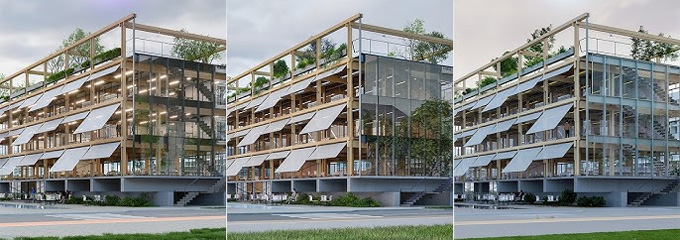
This 3D visualisation software is extremely easy to learn and use. Direct synchronisation feature of the Twinmotion software with Archicad enables the users to move from the Building Information Modelling (BIM) model to a VR experience within just three clicks. The Twinmotion software is available in 8 different languages, including French, English, German, Japanese, Chinese, Portuguese, Korean, and Spanish.
System requirements for the Twinmotion software
The Twinmotion software is available for both Windows and macOS. In the case of the small to average-sized projects which contain less than 1 GB of geometry and data, this software is suitable for generating local and cloud presentations. It is also able to export videos in 2K full HD and can export images up to 4K UHD. In the case of the large design projects, which contain more than 1 GB of geometry and data, the Twinmotion software is suitable for generating local and cloud presentations. In addition, this software is able to export videos up to 8K in 360° and 360° 3D mode, to 64K in Standard and 3D mode and also can export images up to 64K.
Learn about the key design features of the Twinmotion software
Real-time rendering feature
The Twinmotion software has real-time 3D rendering capability, which enables the architects to visualise their designs instantly. The real-time capability of the Twinmotion software allows the architects and designers to see the effects of changes immediately, whether it is adjusting textures, lighting or environmental settings.
Intuitive design interface
The Twinmotion software has been designed with an intuitive and user-friendly design interface, which makes it approachable even for those with limited experience in the 3D rendering process. The drag-and-drop functionality of the Twinmotion software has been combined with the rich library of assets, which includes design objects, materials and lighting effects. With the help of the intuitive design interface of the Twinmotion software, users are able to create more detailed and realistic scenes without any steep learning curve.
Providing high-quality visuals
The Twinmotion software is able to produce visuals that are not only highly detailed but also exceptionally realistic. The dynamic lighting feature, real-time weather effect, and lifelike vegetation feature of the Twinmotion software help to create design environments which can resonate with the stakeholders and clients alike.
Streaming the design process
The Twinmotion software helps to streamline the design process of a design project. The real-time adjustment feature and the immediate feedback feature of the Twinmotion software help to reduce the requirements for multiple revisions and lengthy rendering times. This design feature of the Twinmotion software helps to accelerate the design project timeline and also enables the architects to experiment more freely with their own designs. With the help of the Twinmotion software, users are able to quickly test and iterate their design ideas, which helps to enhance the quality and creativity of the design work.
Helps to empower architects, along with a competitive edge
The real-time rendering capability of the Twinmotion software enables architects to offer clients more interactive and immersive experiences. This software allows the exploration of the designs under different environmental conditions, which helps to provide a comprehensive understanding of how a design project will perform in real-time.
How to install Twinmotion software
The Twinmotion software is free to use for educators, students, hobbyists and also for those individuals and companies whose annual gross revenue does not exceed $1 million USD. To download the Twinmotion software, the user has to follow several steps, which are:
1. At first, the users have to download and install the Epic Games launcher.
2. In the next step, the user has to double-click on the executable to install the Epic Games launcher. After completing the installation process, the users have to log in to the Epic Games account.
3. In the next step, the users have to open the Epic Games launcher, and then they have to navigate to the Twinmotion tab in the Unreal Engine section. After that, the user has to click on the install button to download the latest version of the Twinmotion software.
To get online demonstration, watch the following video tutorial.
Video Source: ViaRender
Download Twinmotion
The Twinmotion software can support files from all types of design modelling solutions, including Building Information Modelling (BIM) and Computer-Aided Design (CAD). In some cases, this functionality of the Twinmotion software has been built into the source application for others.
Gallery
Feel free to contact us for BIM requirements. One of our representative will respond you within 24 Hours. Send us your projects requirement today and grow your project.
Explore More !