Discuss the Plugins for Creating 3D Grass Textures and Plant designs in the SketchUp
The SketchUp software offers numerous plugins to create 3D grass textures and 3D plant design models, which are as follows:
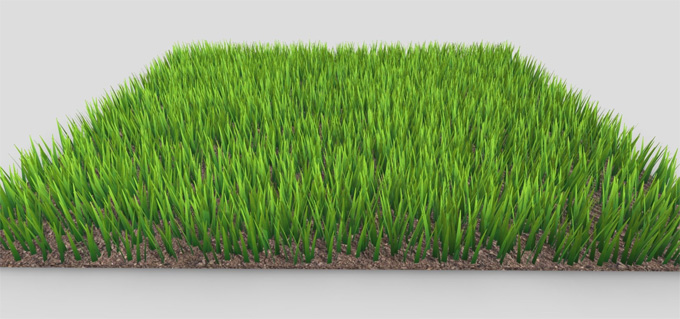
Vray 3.4 (Proxy Grass) plugin
The Vray 3.4 (Proxy Grass) plugin is one of the simple tools which helps to create procedural fur. In this context, the fur is created only during the render time. To create a lawn design by using the Vray 3.4 (Proxy Grass) plugin, the user has to follow several steps, which are as follows:
1. At first, the user has to open the SketchUp software, then they have to use the ‘Rectangle’ tool. By using the ‘Rectangle’ tool, the user can draw a ground plane model with a 1x1 meter size. After that, the user has to apply a vegetation texture on the design surface.
2. In the next step, the user has to open the SketchUp file with a 3D grass model, select the entire grass model, next has to right click into it and select the ‘Make Group’ option.
3. After that, the user has to go back to the ground plane model, has to click on the ‘Import Proxy’ under the V-Ray toolbar option, then the user has to select the last saved VRMesh file and click on the ‘Open’ option.
4. In the next step, the user has to place the proxy grass on the ground plane of the model. After that, the user has to run a test render.
5. In the case of loading the grass materials from the V-Ray proxy, the user has to go to the ‘V-Ray Asset Editor’ under ‘Materials’, and they have to select the V-Ray grass materials.
6. In the next step, the user has to load the material from the ‘Bitmap’ option and has to select the preferred grass material from their folder, and they have to click on the ‘Open’ option.
7. After that, the user has to copy the proxy grass, then fill the ground along with the proxy grass, and finally, the user can hit the V-Ray render button.
Skatter plugin
The Skatter plugin is another useful plugin for the SketchUp software, which can create more realistic lawns within the SketchUp design model. A massive amount of vegetation can be rendered with the help of the Skatter plugin within the SketchUp software. The library of the Skatter plugin enables users to convert any random objects into a Skatter-incorporated composition and offers a user-friendly design interface for users. This SketchUp plugin relies on the hosts and objects, in which the host refers to the ground surface, valleys or terrains, and the object refers to the flora, bushes and vegetation that can be Skattered around the hosts.
3D Tree Maker plugin
The 3D Tree Maker plugin of the SketchUp software enables the creation of 3D trees, plants and grass designs. The 3D Tree Maker plugin is compatible with both Mac and Windows operating systems and supported by different versions of the SketchUp software. With the help of the 3D Tree Maker plugin, users are able to create 3D trees with just a few clicks and can also add those 3D trees to their design models. Fully customizable parameters of the 3D Tree Maker plugin enable users to adapt the tree models on the basis of the design needs.
Kerkythea (Instancing Brush) plugin
The Kerkythea (Instancing Brush) plugin is another important plugin for the SketchUp software for creating 3D grass textures. This SketchUp plugin helps to produce high-quality renders. The Kerkythea (Instancing Brush) plugin offers numerous design tools, which help to simplify the quality rendering tasks and automate scene setup. The Kerkythea plugin is compatible with macOS, Windows, and Linux. Under the user interface of the Kerkythea plugin, the material editor feature, real-time viewer feature, general/render settings feature, editor features and others have been offered, which help to create innovative 3D models of grass and plants.
Key features of the 3D grass and plant design plugins within the SketchUp software
Real-time shadow feature
The architecture planning feature of the SketchUp plugin enables users to see more precisely where shadows will fall at any time of the day, anywhere on the earth.
Geo-location feature
The grass and plant creating plugins can specify the longitude and latitude, and pull in the terrain imagery into the SketchUp design models with just a click.
Photo-realistic rendering feature
With the help of the SketchUp software, users can use third-party solutions, which help to produce more realistic renderings.
Interoperability feature
The landscape architecture modelling features of the SketchUp plugins can also integrate with a variety of 2D and 3D file formats; as a result, the design workflow will never be interrupted.
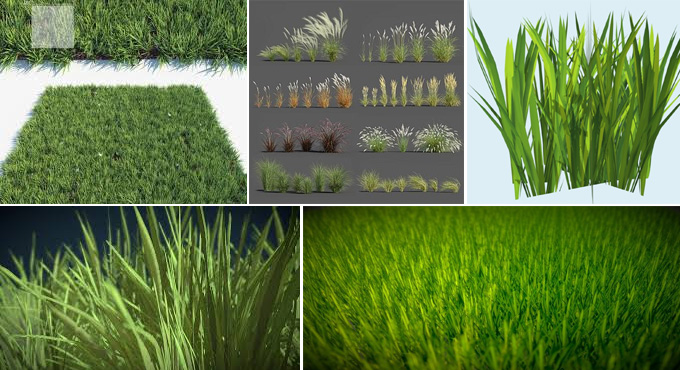
Gallery
Feel free to contact us for BIM requirements. One of our representative will respond you within 24 Hours. Send us your projects requirement today and grow your project.
Explore More !